General SD order’s description
In SAP the content and requirements for every sales document can vary based on the business process, but typically, a standard sales document in SAP may require the following information:
1. Standard document type: specifies the type of sales document (e.g., quotation, order, delivery, invoice). Information assigned to the document type includes:
- Screen appearance. Fields that are visible to users can be defined for each document type.
- Dependent delivery and invoice types.
- Schemes for partners, prices, output docs, and materials determination.
2. Partner Roles in Sales Procedure:
- Sold-to party: the main customer account responsible for the transaction.
- Ship-to party: the address where the goods are to be shipped.
- Payer: the entity responsible for payment.
- Bill-to party: the entity to whom the invoice is sent.
3. Sales organization: specifies the sales organization structure within the company.
4. Payment terms: the conditions under which a seller will complete a sale (e.g., net 30 days).
5. Pricing conditions that are coming from document type: pricing information, including discounts and surcharges if applicable.
6. Material numbers: identification numbers for the products being sold.
7. Ordered quantity: the amount of each product in the order.
8. Delivery dates: expected or confirmed dates of delivery.
9. Shipping point: location from which goods will be shipped.
10. Route: the path along which the goods will be shipped.
11. Texts: additional notes or comments related to the sales order.
12. Status information: current status of the order (e.g., open, confirmed, delivered).
13. Reference documents: any prior quotations, contracts, or customer purchase orders that relate to the sales document.
14. Attachments: any additional documents that need to accompany the sales document.
This is a generalized list, and the actual requirements can vary significantly based on the specifics of the business, the SAP module in use, and any customizations that have been made to the system.
Stages of sales document flow in SAP
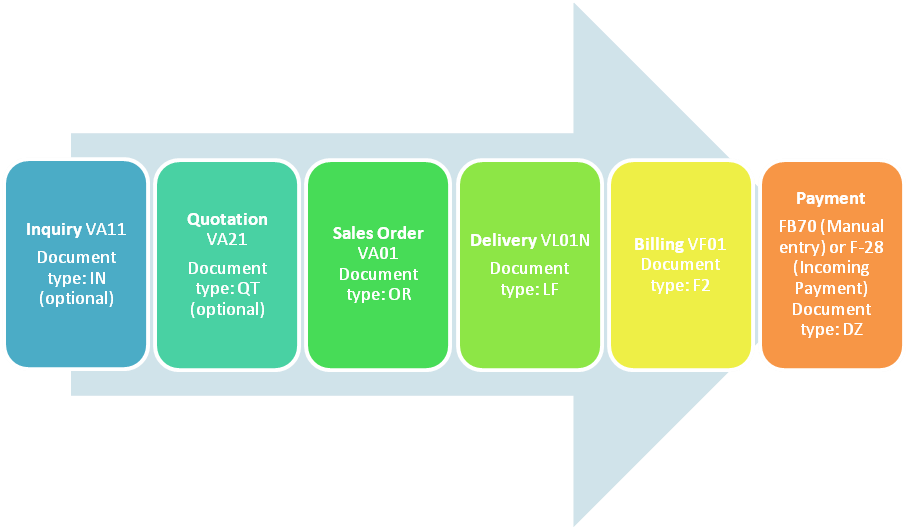
All relevant sales documents can be viewed within the Sales Order in SAP the transaction code VA03 (Display Sales Order) and then clicking on the “Document Flow” button. This centralizes all information pertaining to a specific sale, making it easier to track and manage. Sales Orders typically contain links to or information on various related documents such as quotations, contracts, delivery notes, picking/packing slips, and invoices. This comprehensive view simplifies the process for sales teams, logistics, and finance departments, ensuring that everyone has the most up-to-date information at their fingertips.
Benefits:
- Traceability: all stages of the document flow are linked. This ensures traceability and allows for a seamless transition from one document to the next.
- Efficiency: the document flow enables an efficient and organized way to manage sales processes.
- Audit trail: the document flow serves as a reliable audit trail, facilitating compliance with various regulations and internal policies.
Standard stages of sales return document Flow in SAP
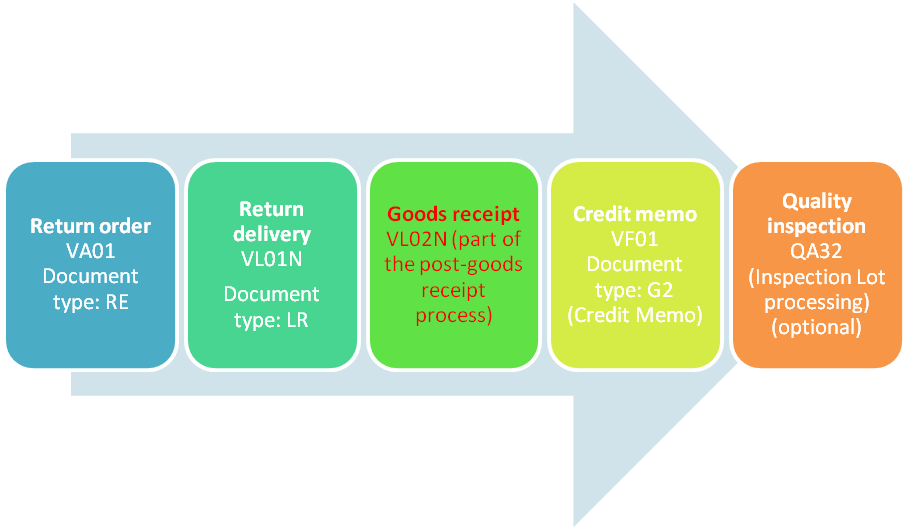
Sales document flow for Insufficient Goods at the seller’s warehouse

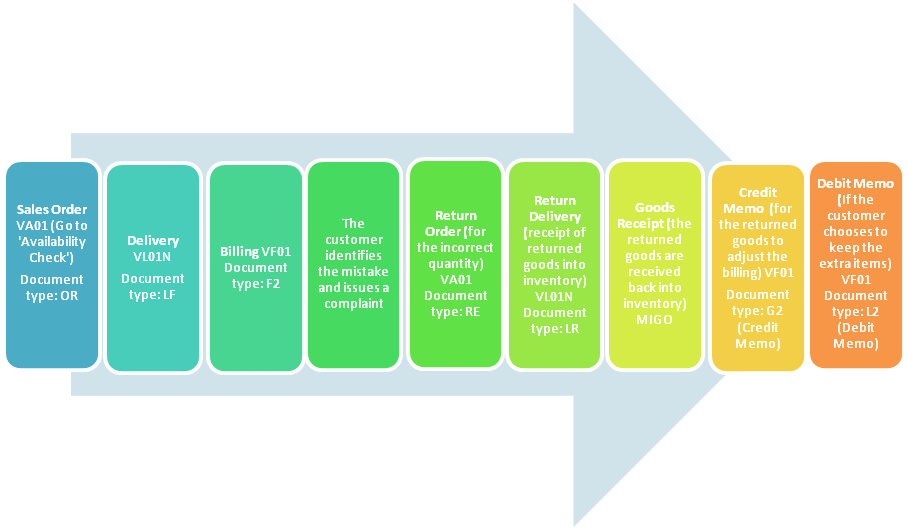
Sales document flow in case the wrong quantity of goods has been delivered to a customer
Sales document flow for poor quality delivery
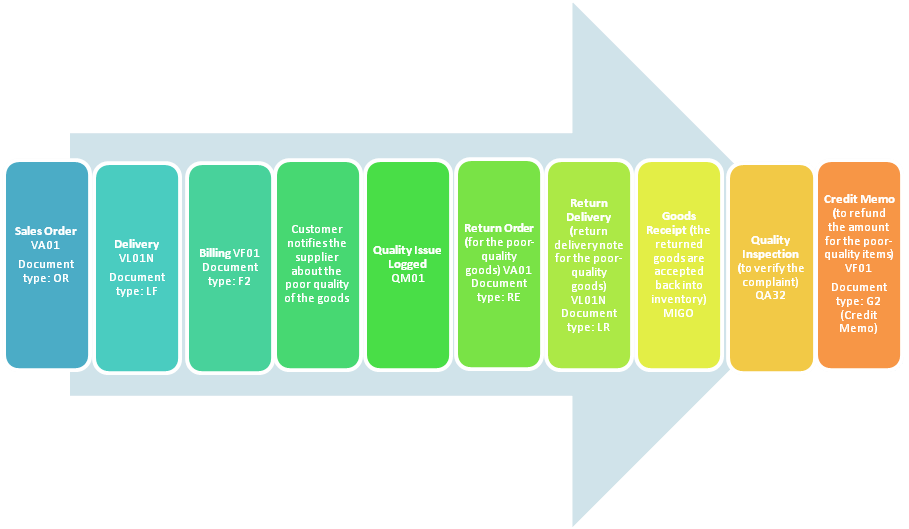
If the customer requires replacement goods, a new sales order can be created for this.
 © ERPFlowTech